

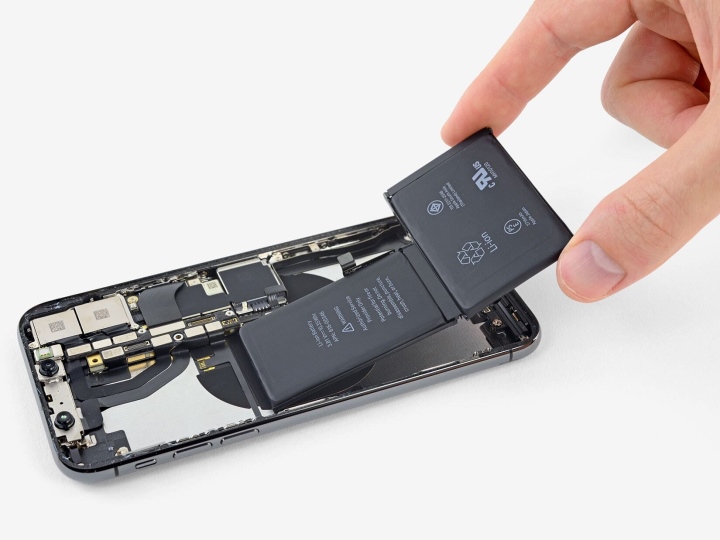
The phone battery is one of the most important components that users pay attention to when using their devices daily, especially smartphones. So how can you keep your battery in the best working condition, avoid affecting daily tasks, and prevent sudden damage?
To understand better, users first need to know about the concept of a “charge cycle”, a key factor in battery wear. A charge cycle counts when you charge your phone battery from 0% to 100% (according to Phone Arena). The more cycles you go through, the shorter your battery’s lifespan becomes. Apple defines a charge cycle as the total amount of energy added equal to 100% of battery capacity, regardless of how many times you charge. For example, charging 10% ten times equals one full cycle.
No matter how charge cycles are counted, once you reach a certain limit, you’ll need to replace your battery to keep your phone working well and safely.
According to SlashGear, modern smartphones use Lithium-ion (Li-ion) batteries that can handle about 400 to 500 charge cycles before their performance starts to decline. To extend battery life, users can take steps to avoid pushing the battery to 100% charge all the time.
Premium smartphones often come with smart charging features that automatically stop charging or limit it to around 80%, then slowly charge to 100% to avoid using up a full charge cycle. Many fast-charging phones only charge quickly up to 50%, then slow down near 80%, and switch to a slow charge after that, gradually reaching 100%.
The device’s temperature during charging also affects battery durability. PCMag says the ideal temperature for charging is between 0°C and 35°C. You shouldn’t use your phone while charging and should close unnecessary apps. Most smartphones now warn you if the device gets too hot during charging and may even stop charging automatically if the temperature gets too high.
Charging your phone on a bed with sheets, blankets, pillows, or other soft fabrics can cause overheating and even fire hazards because these materials trap heat and prevent proper ventilation. It’s best to place your phone on a hard, well-ventilated surface while charging. If your phone gets too hot, unplug it and let it cool down naturally instead of putting it in a cold place like a fridge, which can damage internal components including the battery.
Experts also recommend maintaining a proper charge-discharge cycle and restarting your phone regularly after long use. Like people, devices need time to “refresh” to run smoothly and keep components stable. Avoid letting your battery drain completely to 0% often, but doing it once or twice every few months is not a big deal.
Khanh Linh

