

Google has long had policies to protect users from potential financial scams and personal info theft. Personal Identifiable Information (PII) like government ID numbers, bank account numbers, ID photos, handwritten signatures, and medical records are automatically removed from search results.
Since policy updates in April 2022, you can now request removal of more personal details such as phone numbers, home addresses, and email addresses. Google also accepts requests to remove data that could be at risk of being stolen.

How to Remove Personal Data from Google Search
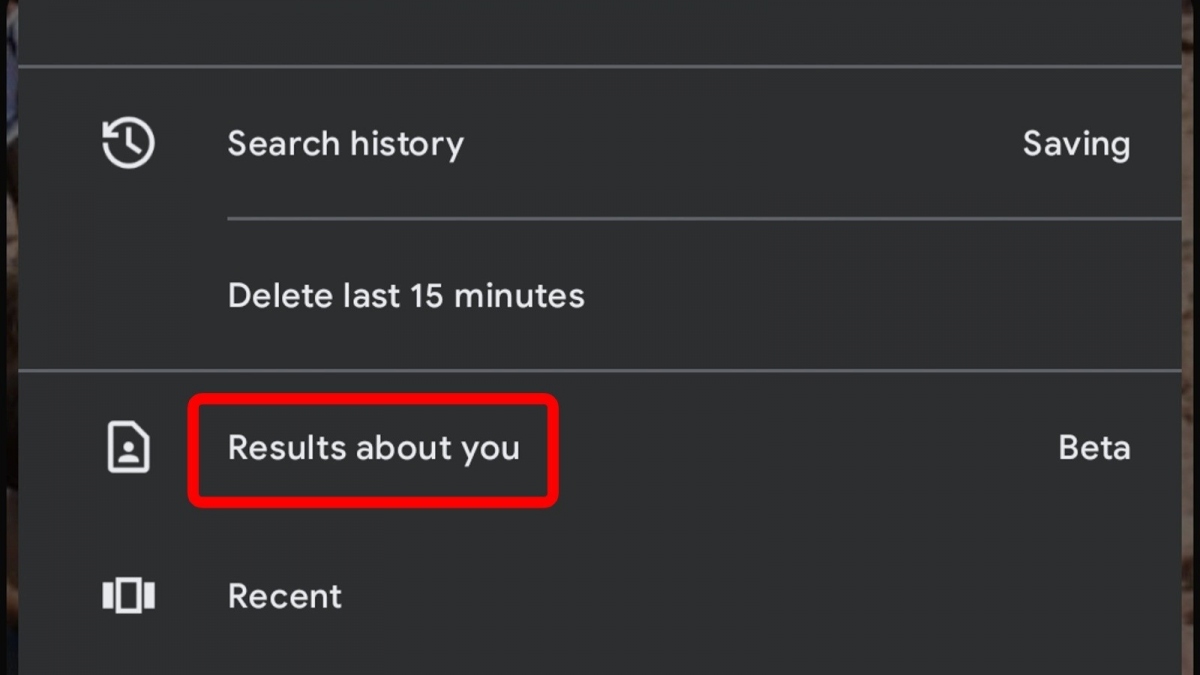
Google is currently testing a new feature in its mobile app that makes it easier for Android users to submit removal requests and track their status. Here’s how to access it:
- Open the Google app on your mobile device.
- Tap your profile icon in the top right corner.
- Search for “Personal Results” in the menu.
- From there, you can delete search results containing your personal data.
You can also request removal of individual Google Search results containing sensitive personal info by tapping the three-dot icon next to the result. This opens the “About this result” page. If your Google account has access to the new removal tool, you’ll see a “Remove result” option at the bottom.
How to Remove Personal Info from Google Search Without the App
If you don’t see the “Personal Results” menu in the Google app or the “Remove result” button next to search results, you can manually request removal through Google’s support site. Follow these steps:
- Choose the option “Remove information you see in Google Search.”
- Under “The information I want to remove is,” select “In Google Search results and on webpages.”
- When asked if you’ve contacted the website owner, select “No, I don’t want to.”
- Select the type of personal info you want removed from Google Search results.
- Enter the requested details, including links to pages with the content you want removed.

It’s a good idea to attach screenshots of the pages containing your personal info to speed up the process and provide more context. If Google approves your request, they will stop showing those pages in search results for your name. If not approved, no changes will be made.
Limits of What Google Can Remove

It’s important to understand that while Google can help clean up your online presence by limiting search results, it cannot directly remove content from websites or shut down those sites.
This is because Google Search only directs users to websites with the content they’re looking for. Google can control whether it links to a page, but it can’t control the website itself. So others can still find your info on those sites using other search engines like Bing.
If Google denies your removal request but you still want your personal info taken down from a website, Google recommends contacting the site owner directly and asking them to remove the content. If the site admin agrees and deletes your info, users won’t be able to access it even through other search engines.
Source: Slashgear

